Most people don't think much about passwords until something goes wrong. I get it—life is busy, and we all fall into using the same PIN or password everywhere. It feels manageable… until you remember the average person now has 200+ online accounts. I track over 700. No one can remember that many unique, secure passwords without help.
That's why I advocate strongly for password managers. They're not just tools—they're a shift in how you think about your digital life. Instead of juggling hundreds of reused logins, you let a secure vault remember them for you. It's safer, easier, and honestly—once you settle in—freeing.
Why It Matters
The most obvious reason: a single reused password can unlock your email, banking, and social media. Attackers rely on password fatigue and the very human instinct to choose something easy. A password manager breaks that cycle by allowing strong, unique passwords and storing them securely—without having to remember them.
Whether you use 1Password, Bitwarden, or another reputable option, the goal is the same: reduce your risk and reduce your stress.
IAM for the Individual
In the enterprise world, we call this Identity and Access Management—IAM. Companies spend millions ensuring the right people have access to the right systems at the right time. A password manager is the personal version of that same principle: managing your identities, controlling access to your accounts, and ensuring only you can get in. You're not just storing passwords—you're running IAM for your life.
The difference? You don't need a security team or a budget. You just need the habit.
Okay, Easy for You to Say—You're Half Cyborg
The reality is that anyone can do it - but I get it. It can seem daunting. 1st, enable the manager on your Web browser and your phone. Then, start small. You don't need to migrate your entire digital life in one day. Start with your core accounts—email, banking, social media. Even if your password is something like Password123?, put it in the manager. The first habit is simply using it and seeing the interface, even if the passwords aren't great yet. For those already in the manager, it will be easy; for those that aren't, the managers make it convenient to add.
As you log in to other accounts over time, save them too. Within a few weeks, your vault fills itself. Then, once you're comfortable, start changing them a few at a time.
Let the Manager Protect You
One of the greatest benefits is built-in phishing protection. If you land on a fake website—even one that looks identical—the manager won't autofill your credentials.
For example:
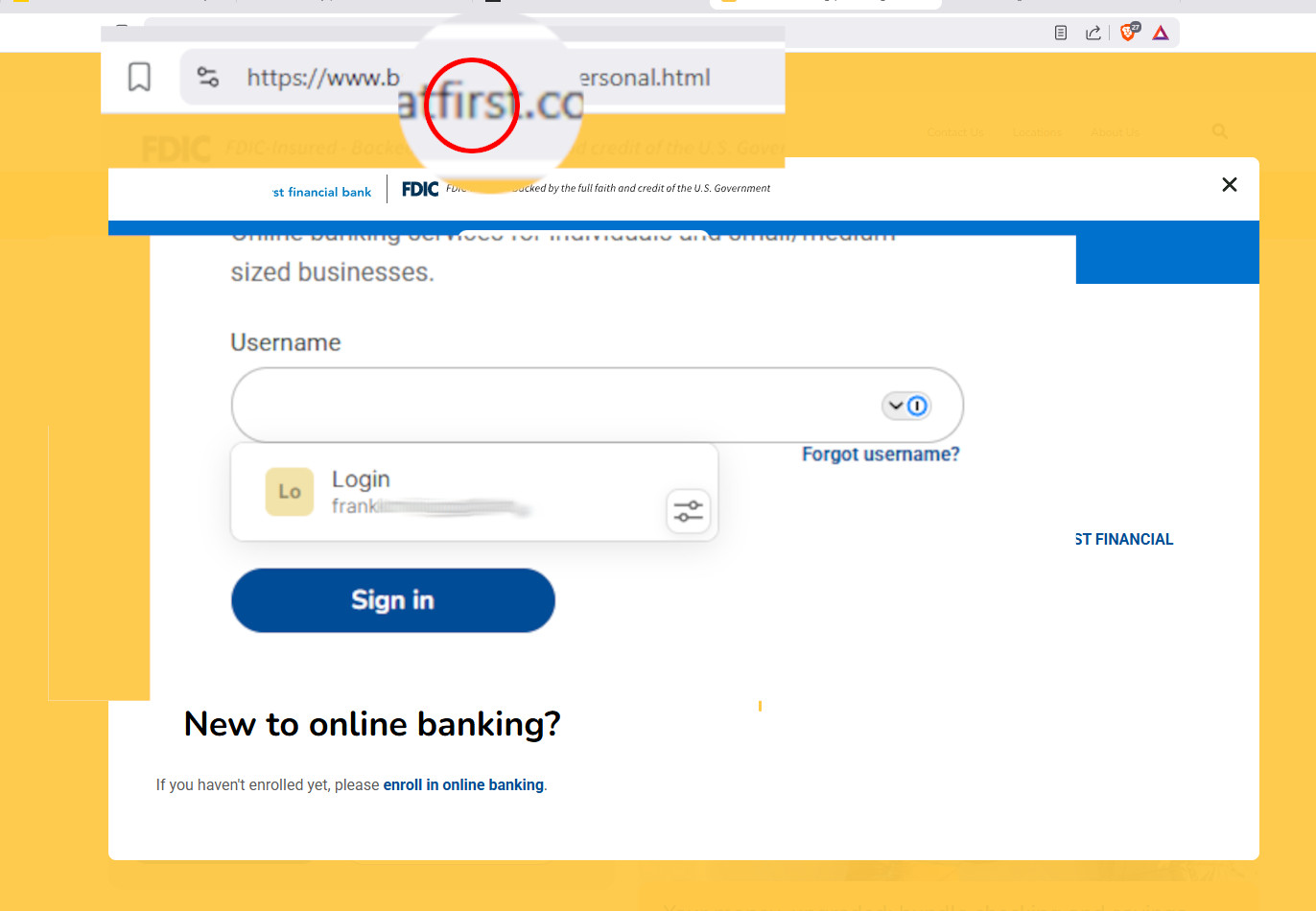
https://www.bankatfirst.com/personal.html
Legitimate site: autofill appears
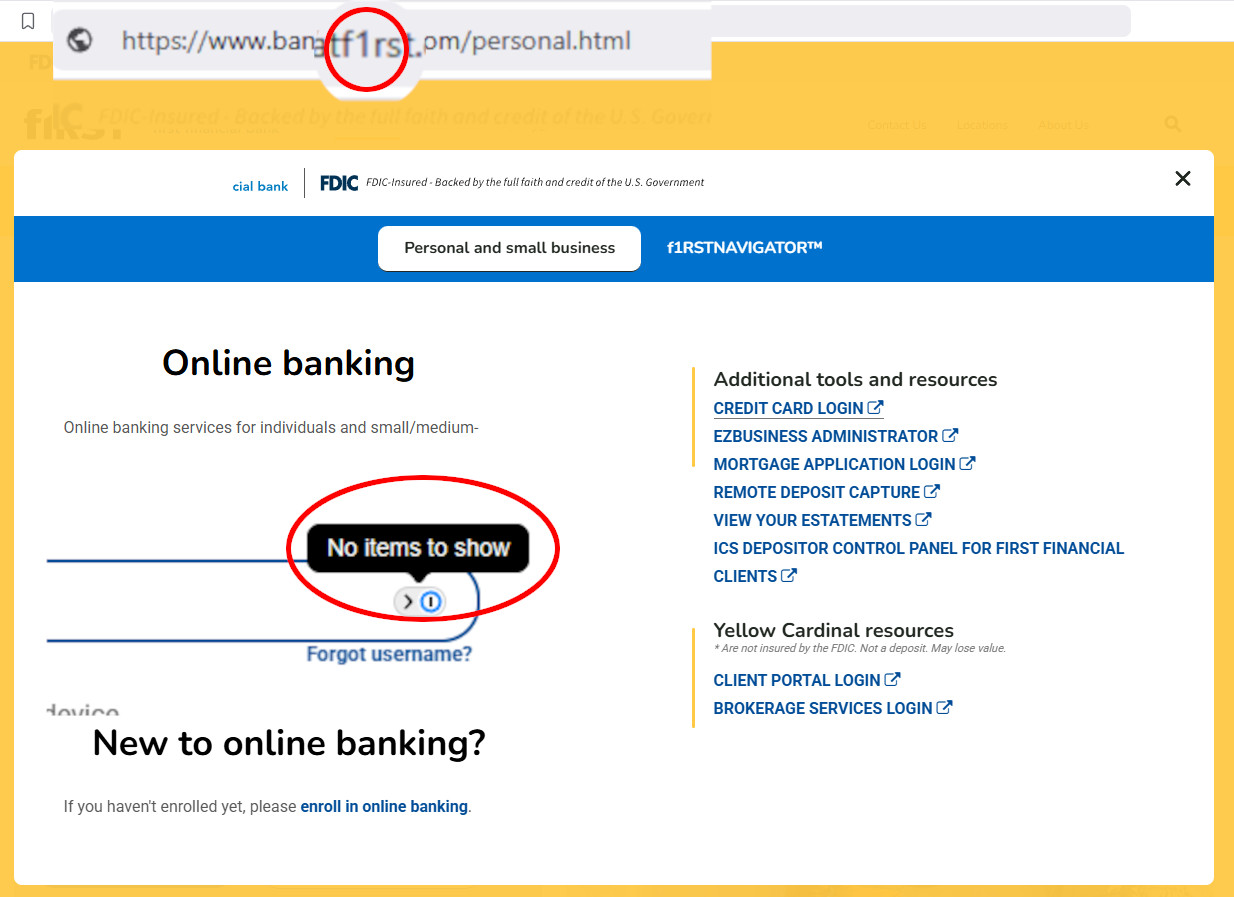
https://www.bankatf1rst.com/personal.html
Phishing site: no autofill
It's a quiet but powerful safeguard.
The Shift
Using a password manager isn't about being technical. It's about protecting your future self—your family, your finances, your identity. Start small. Build the habit. Let the tool do the heavy lifting. Pick a manager. Enable it on your phone and your web browsers, and add three accounts today. That's it—watch as it just happens.
Comments (0)
No comments yet. Be the first to comment!